Choosing a design and colours
Eleven designs, each with colour sets, or your mosque's own colours.
Every planGo to this page in your dashboard
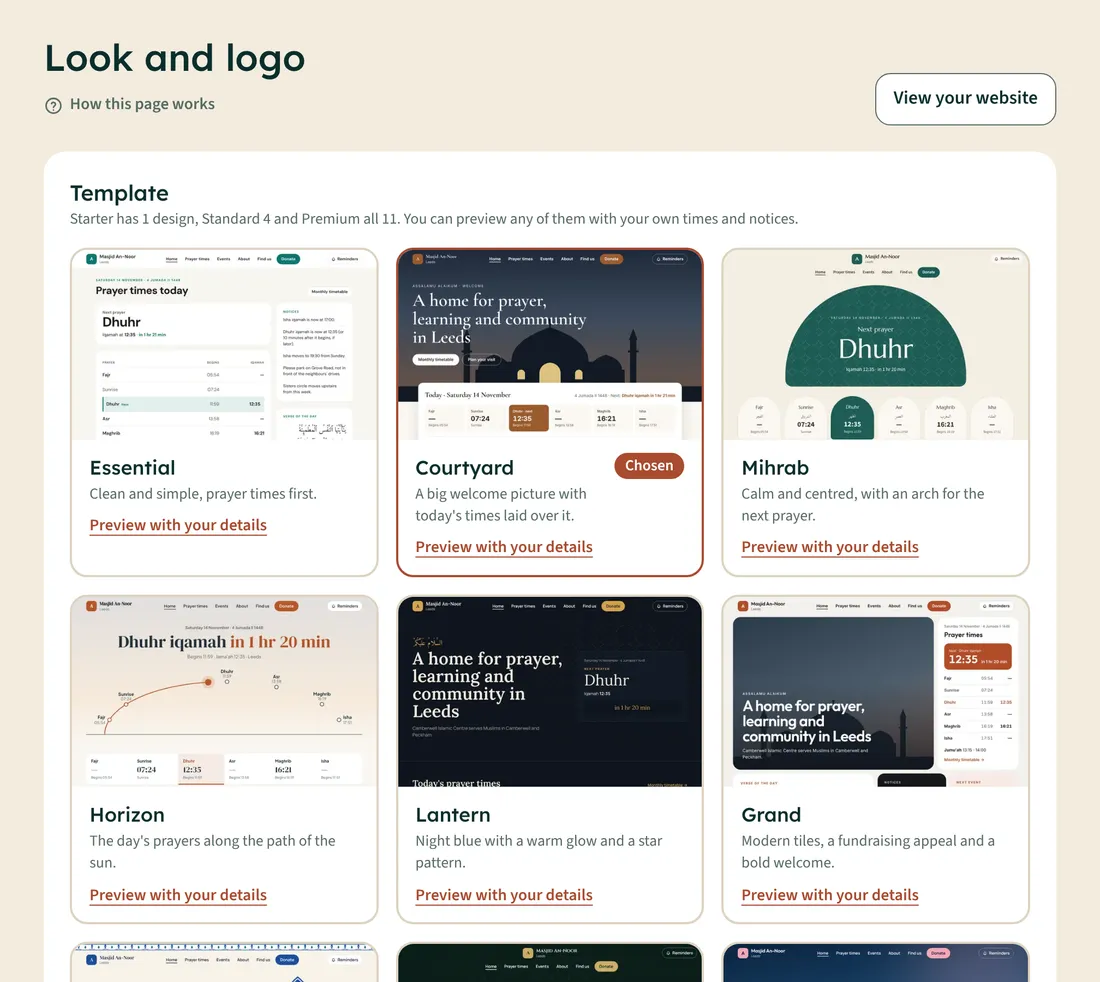
- Open Look and logo.
- Tap Preview with your details under any design to see it with your own times and notices.
- Pick a design, then a Colour set. On Standard and Premium you can choose Your own colours instead.
- Check How it will look, then tap Save look.
Starter has 1 design, Standard 4, and Premium all 11, including the Islamic designs Iznik, Andalus, Noor and Riyad. You can preview every design on any plan.