Ramadan timetable
Suhoor and iftar every day, and a timetable to print with a QR code.
Every planGo to this page in your dashboard
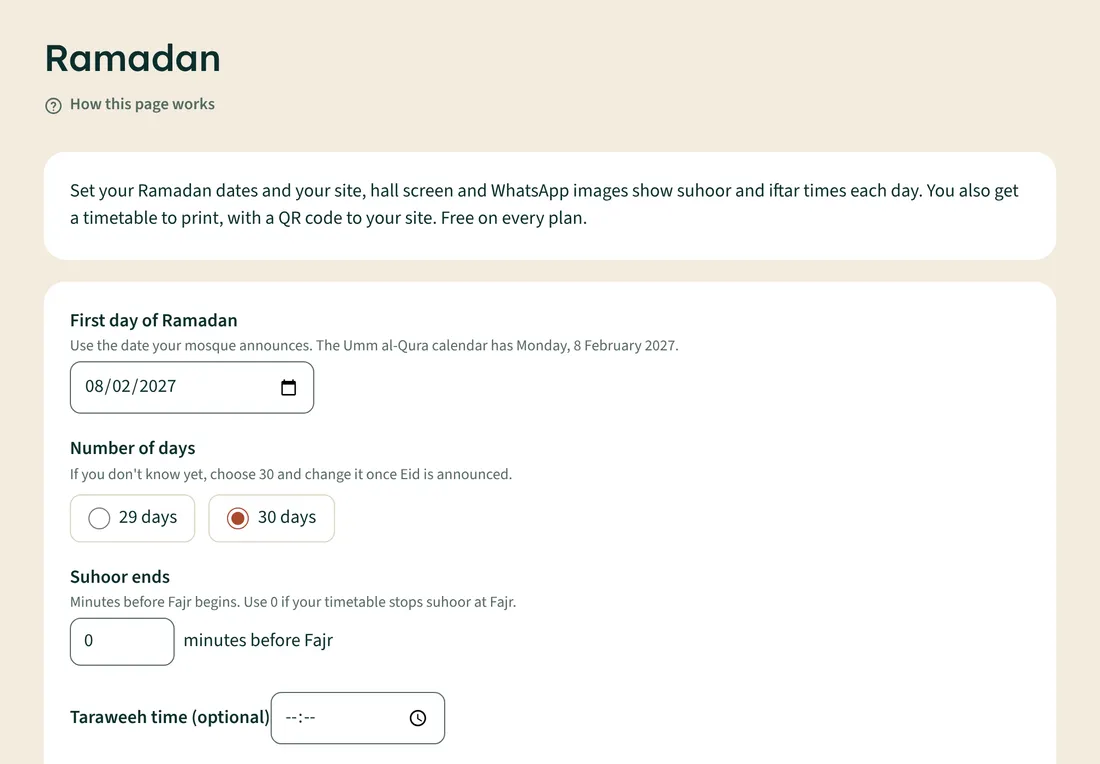
- Open Ramadan.
- Set the First day of Ramadan your mosque announces.
- Choose 29 days or 30 days. If you don't know yet, choose 30 and change it once Eid is announced.
- Set when Suhoor ends, in minutes before Fajr begins (0 if your timetable stops suhoor at Fajr).
- Add a Taraweeh time if you like, then tap Save Ramadan times.
During Ramadan, your site, hall screen and WhatsApp images show suhoor and iftar each day. Iftar is shown at Maghrib. Your site also gets a Ramadan timetable page to print.