Setting and changing iqamah times
A fixed time or minutes after it begins, from today or from a date you choose.
Every planGo to this page in your dashboard
Change one prayer at a time. You can make it start today or from a date you choose, and tell your congregation in the same step.
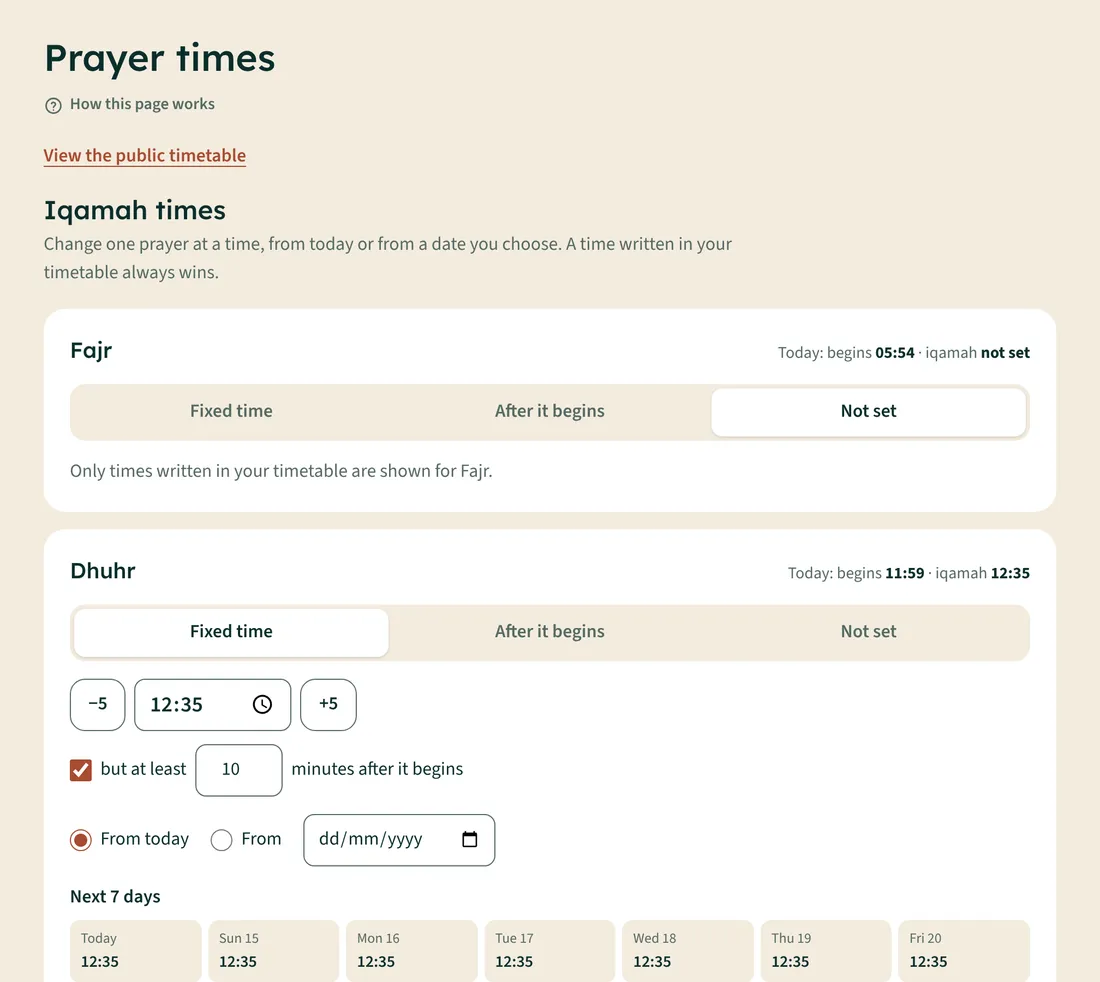
- Open Times and iqamah.
- Under the prayer, choose Fixed time (e.g. 13:15) or After it begins (e.g. 10 minutes after). With a fixed time you can also tick but at least … minutes after it begins, for when the start time gets late.
- Under When it starts, choose From today or pick a date.
- Check the Next 7 days preview.
- To tell people, tick Add a notice to the website about this change and, if you like, Send it to people who get reminders.
- Tap Save.