Donations, Gift Aid and appeals
Take donations through Stripe, collect Gift Aid declarations and show an appeal.
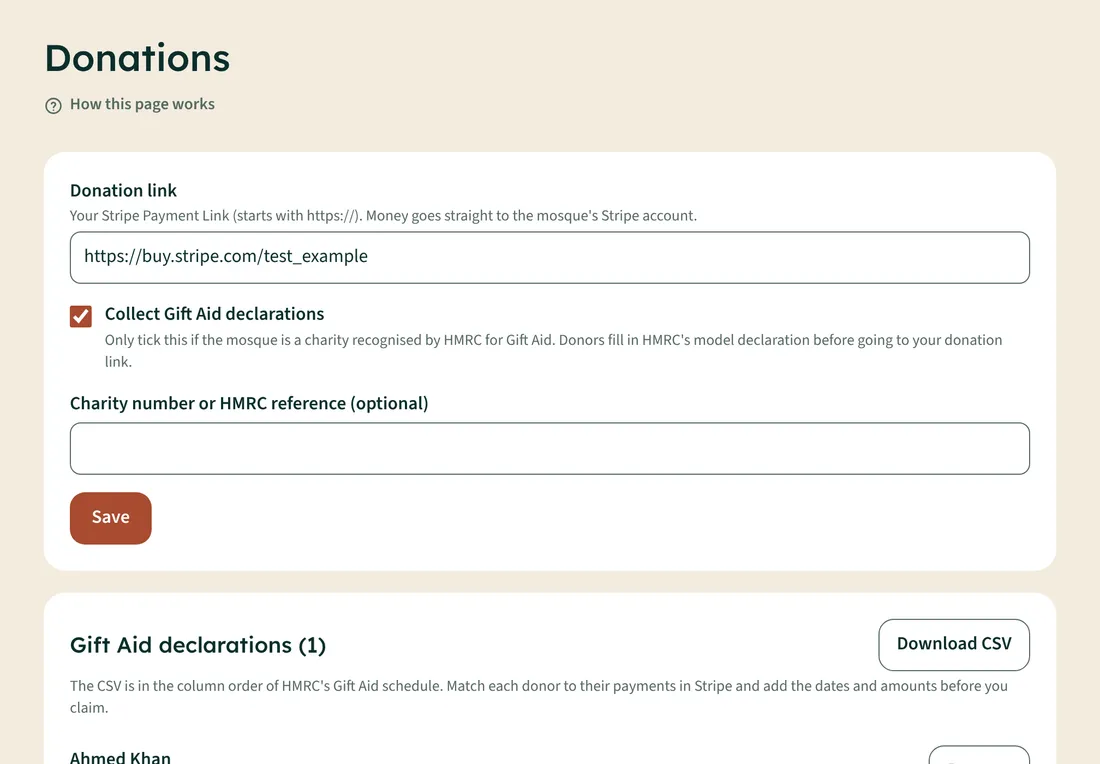
- Create a Payment Link in your mosque's Stripe account. Money goes straight to the mosque; Iqamly never touches it.
- Open Donations and paste the link (it starts with https://).
- If the mosque is a charity recognised by HMRC, tick Collect Gift Aid declarations. Donors fill in HMRC's model declaration before they pay.
- Tap Save. A Donate button appears on your site.
Claiming Gift Aid
Tap Download CSV. It's in the order of HMRC's Gift Aid schedule. Match each donor to their payments in Stripe and add dates and amounts before you claim. Remove a declaration if a donor cancels or asks you to delete their details.
Fundraising appeal
In Look and logo → Fundraising appeal, give it a name and target, and update Raised so far whenever you like. Your site shows a progress bar.